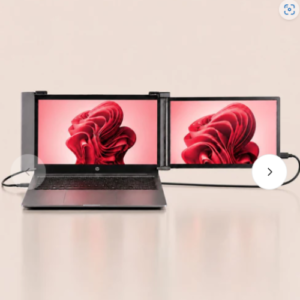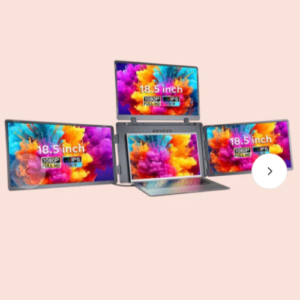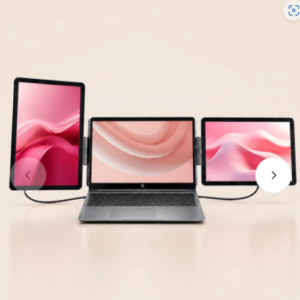
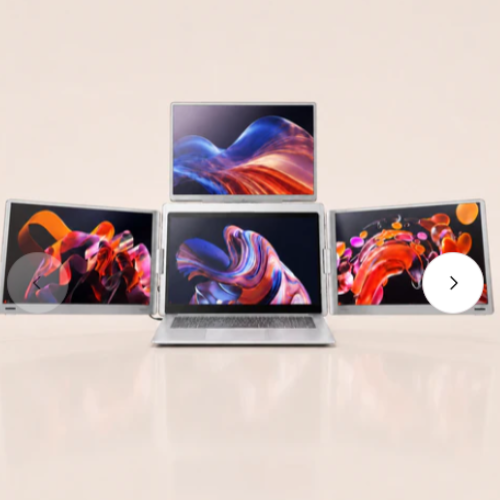

The RIITEK 16″ Quad Portable Monitor is essentially a 3-screen external display system that attaches to a laptop, giving you a total of 4 displays including the laptop’s built-in screen.


Key Specifications
| Feature | Specification |
|---|---|
| Display Size | 16″ per screen |
| Resolution | 1920 × 1200 (FHD+) |
| Panel Type | IPS LCD |
| Brightness | 300 nits |
| Color Gamut | 100% sRGB |
| Viewing Angle | 180° |
| Aspect Ratio | 16:10 |
| Rotation | Side screens 360°, top screen 180° |
| Laptop Compatibility | 12″–18.5″ laptops |
| Connectivity | USB-C, USB-A |
| Warranty | 1 Year |
Advantages
Large Workspace
With three additional 16-inch displays, you can keep:
- Email open on one screen
- Browser/research on another
- Excel/trading platform on a third
- Main work application on the laptop screen
Better Than Typical 14″ Extenders
Most portable monitor extenders use 12–14″ panels. These 16″ panels provide:
- More vertical space (1920 × 1200)
- Easier spreadsheet work
- Better coding experience
- More comfortable video editing timelines
Good for
- Stock trading
- Software development
- Cybersecurity monitoring
- Video editing
- Live streaming control
- Project management
- Data analysis
Important Compatibility Requirements
The most critical part of this product is the USB-C requirement.
Your laptop must have:
- One Thunderbolt 3/4 port OR USB4 port
- One full-function USB-C port with DisplayPort Alt Mode
The listing specifically states:
❌ USB-C 3.0
❌ USB-C 3.1 Gen 1
are not supported for the full setup.
Before buying, check:
- Laptop model number
- Thunderbolt support
- DisplayPort Alt Mode support
- Number of external displays supported by the GPU
Potential Drawbacks
Price
₹53,999 is expensive. For similar money you could buy:
- Two or three separate portable monitors
- A larger desktop monitor setup
Portability
Although marketed as portable, a quad-screen attachment:
- Adds noticeable weight
- Requires a larger carrying bag
- Is best suited to travel between offices/homes rather than daily commuting
Brightness
300 nits is adequate indoors but not ideal for:
- Outdoor use
- Bright café environments
- Sunlit workspaces
MacBook Users
If you use an Apple Silicon Mac:
- Apple M1/M2/M3 MacBook Air models often have limitations on the number of external displays supported.
- Many MacBook Pro models support multiple external displays.
- Verify your exact Mac model before purchasing.
Value Assessment
Excellent value if:
- You travel frequently and need 4 screens.
- You trade stocks/crypto.
- You manage many dashboards simultaneously.
- You work remotely from different locations.
Poor value if:
- You mostly work at a fixed desk.
- A dual-monitor setup is sufficient.
- You don’t specifically need 3 additional screens.
For most users, a dual-screen extender is enough. This quad-screen model makes the most sense for power users who genuinely benefit from four active displays at once.